
Ashuni - Free Subway Surfers Experience With Customization
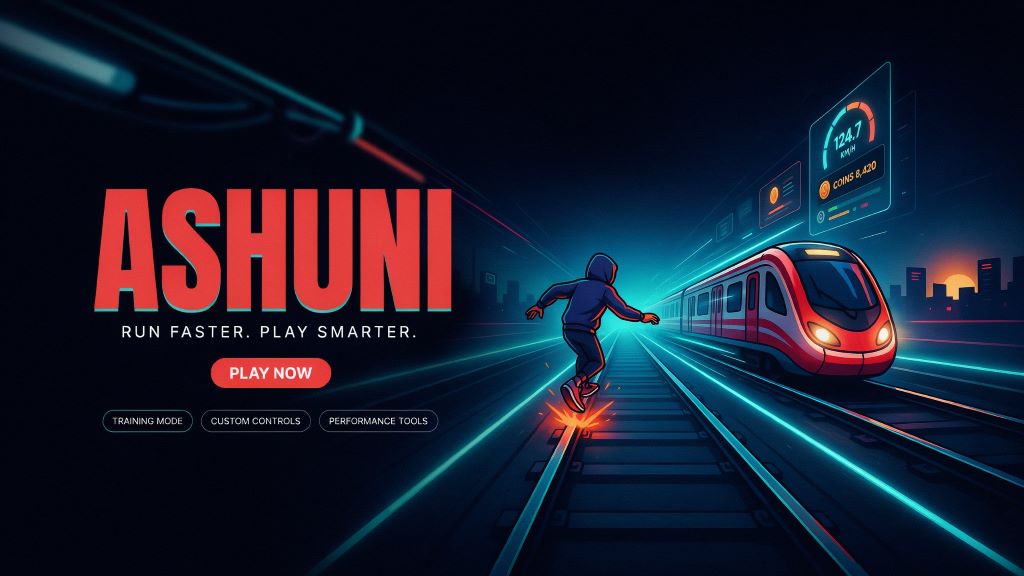
Ashuni is a browser-focused platform built around Subway Surfers, offering players an alternative way to experience the endless runner on a computer. Rather than simply providing a basic browser version of the game, Ashuni combines gameplay with training options, keyboard customization, display controls, FPS tools, and other features designed for players who want more control over their setup.
Introduction to Ashuni
Ashuni can be described as a specialized online environment for playing Subway Surfers through a web browser. Its main appeal is the combination of accessible gameplay and additional configuration tools that are not normally the focus of a simple web game page.
The platform offers both Original and Training options, giving users different ways to approach gameplay. It also includes features such as custom keyboard mapping, fullscreen mode, resolution adjustments, screen stretching, saturation controls, FPS monitoring, and recording functionality.
These features make Ashuni more than a straightforward browser game launcher. It is designed around flexibility, allowing players to adapt the experience to their preferred desktop setup.
How Ashuni Brings Subway Surfers to the Browser
The central concept behind Ashuni is simple: provide access to a Subway Surfers experience directly inside a compatible web browser. Users do not have to treat a traditional mobile installation as their only way to play.
Once the browser interface loads, players can choose an available gameplay mode and configure their controls before starting. The platform is particularly suited to keyboard-based play, making it a natural option for users who prefer a desktop or laptop environment.
This browser-based approach also makes the platform convenient for players who want to quickly access the game without installing a conventional mobile application.
The Tools That Define the Ashuni Experience
Keyboard Customization
One of Ashuni's most useful features is its configurable keyboard system. Players can assign movement actions to keys that match their personal preferences, making desktop gameplay more comfortable and adaptable.
Original and Training Modes
Ashuni provides both Original and Training modes. The Original option is aimed at a more conventional Subway Surfers experience, while Training provides an alternative environment for players who want to practice or explore gameplay in a different way.
Display Controls
The platform includes several display-related options. Users can enable fullscreen mode, select custom resolutions, adjust screen stretching, and modify visual settings such as saturation. These controls can be useful when adapting the game to different monitors and desktop configurations.
Performance Monitoring
Ashuni also provides FPS-related functionality. Players can use FPS monitoring to observe performance and can access FPS-related configuration options when supported by the current version of the platform.
Recording and Gameplay Widgets
Screen recording gives users a way to capture gameplay sessions, while optional widgets can provide information such as a chronometer, keyboard controls, and FPS data. These additions can be especially useful for players interested in practicing, analyzing, or recording their runs.
Why Desktop Players May Prefer Ashuni
Traditional Subway Surfers gameplay is strongly associated with mobile devices, but some players prefer using a larger screen and physical keyboard. Ashuni addresses this preference by placing the experience inside a desktop-friendly browser environment.
A keyboard can offer a different style of control compared with touch input, while fullscreen and resolution settings allow users to adapt the visual presentation to their monitor. Players can also configure their controls instead of being restricted to a single default layout.
For users who enjoy experimenting with gameplay settings, the combination of training functionality, performance monitoring, and recording tools gives Ashuni an additional layer of flexibility.
Ashuni and the Subway Surfers Community
Ashuni is associated with the browser-based Subway Surfers and speedrunning community. This connection helps explain why the platform emphasizes features such as training, keyboard mapping, timing tools, FPS information, and recording.
These functions can be valuable for players who want to improve their runs or examine their gameplay rather than simply play a casual session.
The community side of Ashuni has also experienced changes. Information associated with the platform indicates that its previous Discord server was lost and that users were directed toward a newer official Ashuni Discord community for updates and support. This represents a transition in the community rather than clear evidence that the website itself permanently disappeared.
What Happened to Ashuni.lol?
There have been claims or uncertainty surrounding the availability of Ashuni.lol, but the supplied information indicates that the platform has remained accessible and continues to present itself as a browser-based Subway Surfers experience.
The more noticeable change has involved its community infrastructure, particularly the transition from an earlier Discord server to a newer community. Because online platforms can change domains, features, or availability over time, users should verify the current website and community information before relying on older links.
In other words, a change involving the Ashuni community should not automatically be interpreted as the permanent closure of the platform itself.
What Can You Do on Ashuni?
The platform focuses primarily on Subway Surfers and related gameplay tools. Depending on the current version available, users may encounter features including:
- Browser-based Subway Surfers gameplay
- Original gameplay mode
- Training mode
- Custom maps or map variants
- Keyboard control mapping
- Fullscreen gameplay
- Custom resolution settings
- Screen stretching
- Saturation adjustments
- FPS monitoring
- FPS-related settings
- Chronometer functionality
- Keyboard control widgets
- Screen recording
- Configurable gameplay settings
The exact selection of tools can depend on the current implementation of the platform, so users should expect that individual features may change over time.
Getting Started With Ashuni
Using Ashuni generally involves a short setup process. Players can open the website through a modern browser and wait for the game interface to load. From there, they can select a gameplay mode and configure their preferred controls.
- Open Ashuni in a compatible modern web browser.
- Allow the Subway Surfers interface to finish loading.
- Select Original or Training mode.
- Customize the keyboard layout if necessary.
- Choose fullscreen or adjust the display resolution.
- Configure available performance or visual settings.
- Start playing with the selected keyboard controls.
If the game does not load properly, refreshing the page or using the platform's cache-refresh functionality may help. Cached website data and service workers can sometimes interfere with browser-based games.
Ashuni Compared With Other Ways to Play
Ashuni is not the only way to access Subway Surfers. Players can also use the official version distributed through supported platforms or explore other browser-based gaming services.
Official Subway Surfers
The official Subway Surfers release from SYBO Games is the natural choice for players who want the publisher-supported version. It provides the standard Subway Surfers experience through official distribution channels.
Poki
Poki offers Subway Surfers through a browser-oriented gaming environment. It can be suitable for users who want straightforward online access without the specialized configuration tools associated with Ashuni.
Other Browser Projects
Various browser-based Subway Surfers projects and builds may provide different combinations of accessibility, controls, customization, and gameplay options. The best choice depends on whether a player values official support, simple browser access, training features, or advanced configuration.
Safety and Access Considerations
Ashuni uses HTTPS, which provides an encrypted connection between the browser and the website. However, HTTPS alone should not be considered a complete guarantee of website safety.
Users should avoid downloading unfamiliar files, avoid providing unnecessary personal information, and remain cautious about third-party advertisements or services. Players who specifically want the publisher-supported version of Subway Surfers should use official distribution channels.
The legal considerations surrounding third-party browser implementations can also vary depending on how a game is hosted, distributed, or modified and which copyright and licensing rules apply. Ashuni should therefore be distinguished from an official SYBO Games website.
Tips for a Better Browser Experience
A few simple adjustments can help make browser-based gameplay smoother:
- Use an updated web browser.
- Maintain a stable internet connection.
- Close unnecessary browser tabs.
- Use fullscreen mode when appropriate.
- Match the resolution to your monitor.
- Choose a comfortable keyboard layout.
- Use FPS monitoring when investigating performance issues.
- Try the cache-refresh option when loading problems occur.
- Disable browser extensions that interfere with web games.
If problems continue, trying another modern browser or checking the current Ashuni community for service updates can also be useful.
Frequently Asked Questions
Is Ashuni a mobile application?
Ashuni is primarily designed as a browser-based platform. Its keyboard and display configuration features make it particularly suitable for desktop and laptop users.
Does Ashuni require an account?
The currently described interface does not indicate that a conventional account is required to access the game. However, requirements can change as the platform develops.
Is Ashuni free?
The supplied information does not identify an obvious mandatory subscription fee for accessing the main Ashuni browser interface. Users should still distinguish the platform from the official Subway Surfers service and from any third-party advertisements or services.
Can I use Ashuni on a phone?
Ashuni is primarily oriented toward browser gameplay with keyboard and desktop display controls, making a computer a more natural choice. Players seeking a mobile-native experience may prefer the official Subway Surfers version.
What should I do if Ashuni does not load?
Try refreshing the page, clearing the site's cache, using the Cache Refresh option, disabling interfering extensions, switching browsers, and checking the stability of your internet connection. If necessary, check the current Ashuni community for service information.
Final Thoughts
Ashuni stands out as a browser-focused approach to Subway Surfers that goes beyond basic online gameplay. Its combination of Original and Training modes, customizable keyboard controls, fullscreen support, display adjustments, FPS tools, widgets, and recording functionality gives desktop players more ways to configure their experience.
Its connection with the browser-based and speedrunning community further explains the platform's emphasis on customization and performance. While availability and individual features can change, Ashuni remains notable for bringing a more configurable Subway Surfers experience to the browser.
For players who value desktop access and additional gameplay controls, Ashuni offers a distinct alternative to a standard browser game page, while the official Subway Surfers release remains the appropriate option for those seeking the publisher-supported experience.